How-to guide
Use OpenCode Go models in Halo
OpenCode Go is a monthly subscription to popular open-weight models like GLM-5.3, Kimi K3.1 Pro and DeepSeek V4 Pro. Its API speaks the OpenAI format, so you can add it to Halo in a couple of minutes and use those models for chat, memory, tasks and voice.
1. Get an OpenCode Go key
Subscribe
Go to opencode.ai/go and pick a plan. Go is $10 a month and Go Plus is $40 a month with higher limits.
Copy your API key
Sign in to the OpenCode Console and copy your API key. Keep it somewhere safe, like your password manager.
2. Add it to Halo
Open AI Models
In Halo, go to Settings›AI Model and tap + (Add Provider) at the top right.
Choose OpenAI Compatible API
Scroll past the sign-in options to Custom Provider and tap OpenAI Compatible API.
Fill in the provider
Enter these values:
Field Value Provider OpenCode Go API Key The key you copied from the OpenCode Console Custom API Base https://opencode.ai/inference/go/openaiAuto Append /v1 On API Format Chat Completions With Auto Append /v1 on, Halo calls
https://opencode.ai/inference/go/openai/v1. If you prefer to type the full address, turn the switch off and include/v1yourself.Add models
Tap Fetch Models to load the list from OpenCode, or tap Add Model and enter a model ID by hand. For each model, set the Context Window and turn on Supports Thinking for reasoning models. Tap a model’s name later to edit it.
Pick Primary and Secondary, then add
Under Selected Models, choose a Primary Model (chat, memory and insights) and a Secondary Model (summaries and quick lookups). Tap Add Provider. Use Test on the provider afterwards to check everything works.
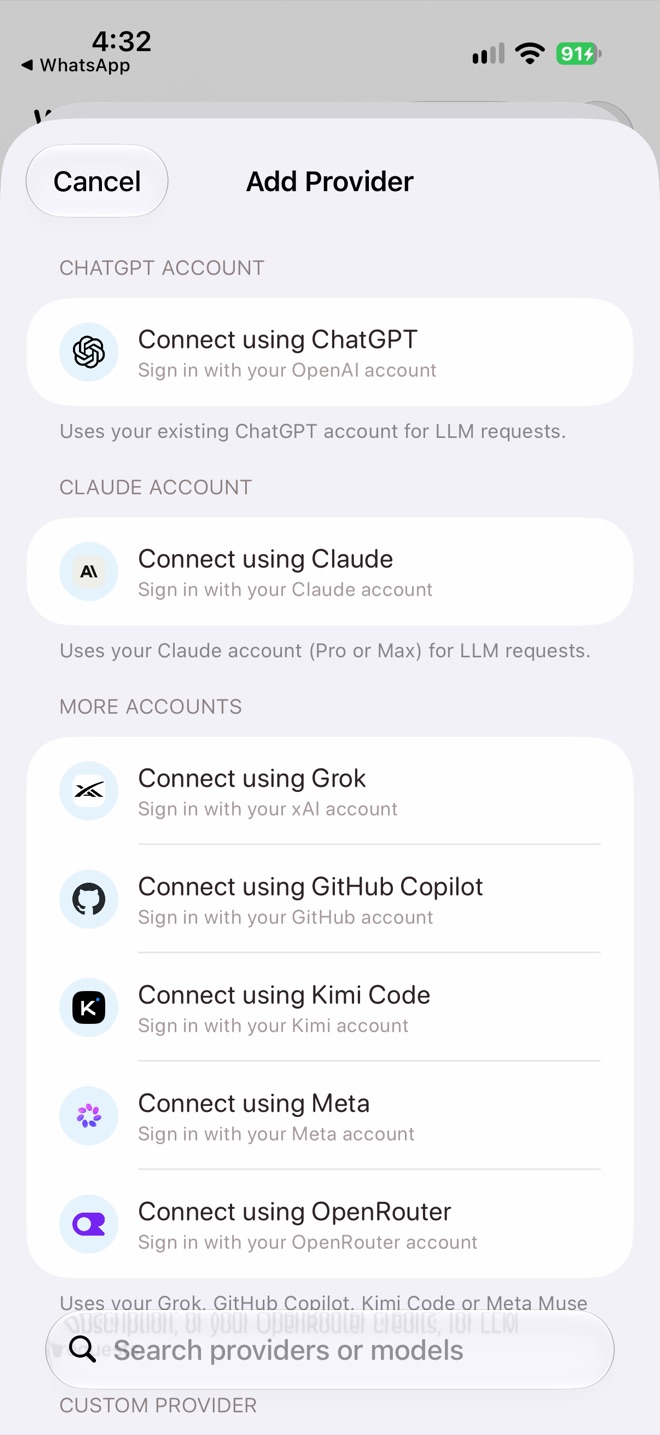
Settings › AI Model › +
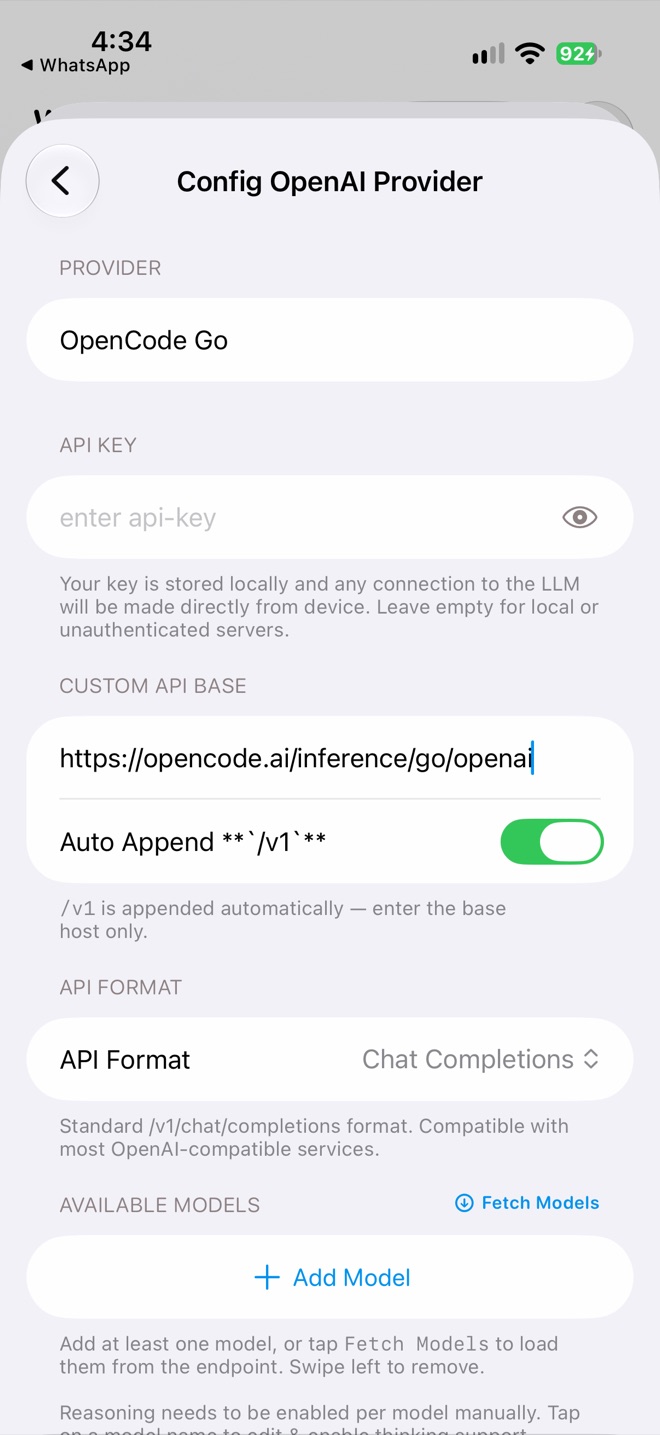
Provider and base URL
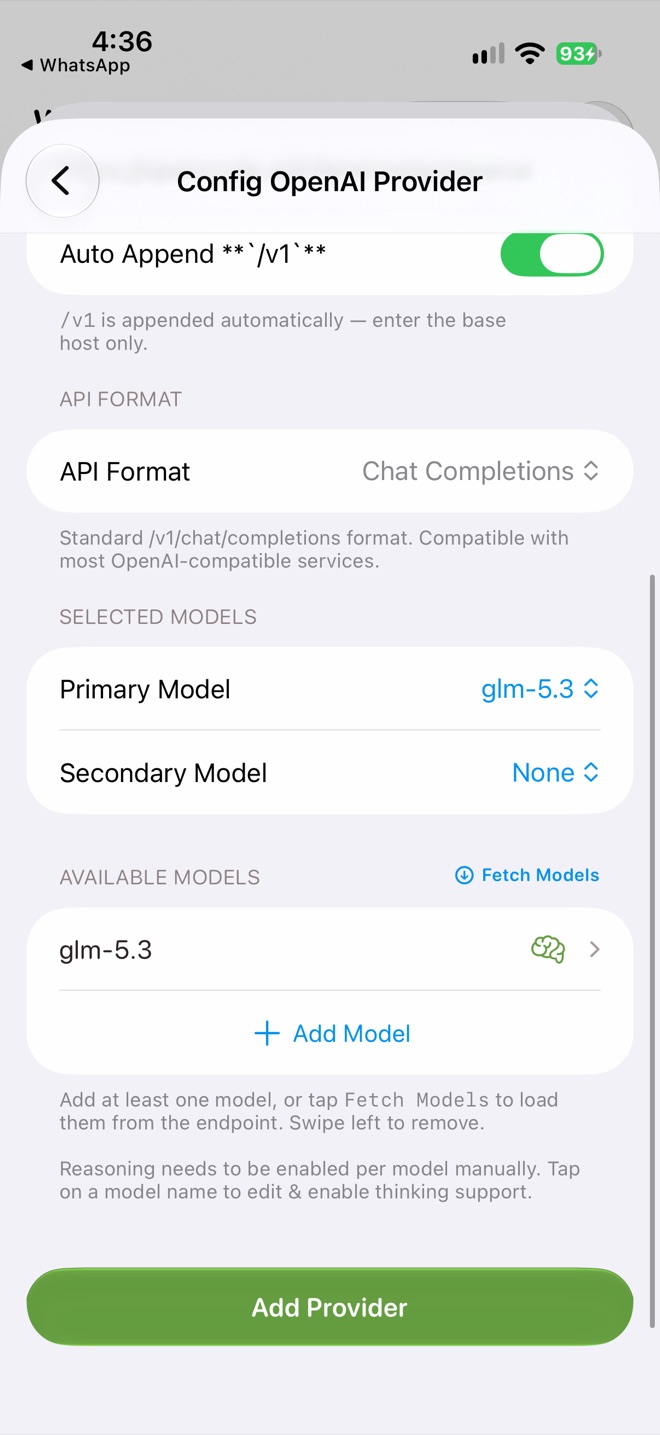
Models and roles
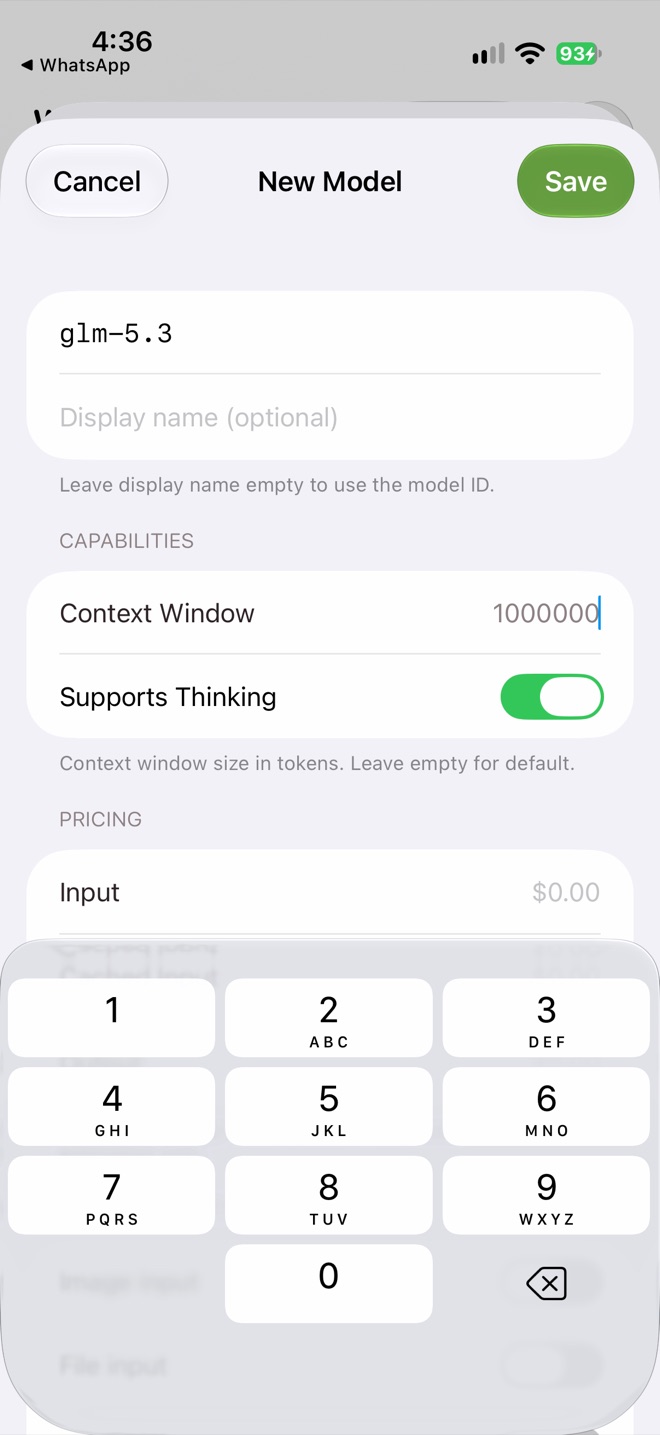
Adding glm-5.3 by hand
Which models to add
These Go models use the Chat Completions format, so they work with the provider above. Model IDs are exactly as shown.
| Model ID | Good for | Context |
|---|---|---|
glm-5.3 | Primary model. Strong agent, and by far the largest monthly allowance on Go. | 1M |
kimi-k3.1-pro | Primary model. Excellent reasoning, reads images. | 1M |
deepseek-v4-pro | Primary model for coding and long tasks. | 1M |
mimo-v2.6-pro | Fast all-rounder that also reads images and audio. | 1M |
deepseek-v4.1-flash | Secondary model. Cheap and quick for summaries. | 1M |
glm-5.3-flash | Secondary or fallback model. | — |
For the full, current list, open opencode.ai/inference/go/v1/models in a browser.
GPT, Grok, Claude and Qwen models on Go
Some Go models use a different native format. GPT-5.6 Luna, GPT-6 Luna and Grok 4.7 use the Responses API: add a second OpenAI Compatible provider with the same base URL and API Format set to Responses. Claude Haiku 5.5, MiniMax-M3 and the Qwen models use the Anthropic format: add an Anthropic Compatible API provider with the base URL https://opencode.ai/inference/go/anthropic.
Use it
- Everywhere: set an OpenCode model as Primary or Secondary in Settings›AI Model.
- For one chat: tap the model button in the chat composer and pick it.
- For one task: choose it under What it can use in the task editor.
- As a safety net: set a Go model as Fallback, used when your other models fail.
Limits
Go plans share one monthly allowance across paid models. You can use up to 20% of it in any 5-hour window and 50% in a week (weeks reset Monday 00:00 UTC). Each model also has its own monthly cap; GLM-5.3’s is the highest, which makes it a good Primary model for Halo’s background work. Check usage in the OpenCode Console, and in Settings›Model Usage in Halo.
Privacy
Your key is stored on your iPhone, and Halo talks to OpenCode directly from your device. OpenCode lists Go models as zero data retention and not used for training, except Claude Haiku 5.5, which is retained for 30 days.
Troubleshooting
- “Couldn’t fetch models”. Paste your API key first, check the base URL ends in
/go/openaiwith Auto Append on, and try again. You can always add models by hand. - 401 or “invalid key”. Make sure your Go subscription is active in the Console and the key has no spaces around it.
- 429 or “limit reached”. You’ve hit the 5-hour or weekly limit. Switch to another model, or turn on Extra Usage on the Go page in the Console.
- No thinking shown. Tap the model in the provider and turn on Supports Thinking.