Voice
Voice Notes
Record a meeting, a lecture or a thought. Halo transcribes it on your iPhone, labels who said what, and writes a title, summary, chapters and action items. Outcomes flow into your todos, insights and memory.
Ways to record
| Where | How |
|---|---|
| Notes tab | Tap Record, or touch and hold for a quick note that saves when you let go. |
| Action Button | Assign the Record Voice Note control or the Record Note shortcut. |
| Control Center & Lock Screen | Add the Record Voice Note control. |
| Home Screen | Add the Voice Note widget. |
| Siri | “Record a note in Halo” and “Stop recording in Halo”. |
| On a schedule | Settings › Notes › Automatic Recording. |
| Import | Import Audio in Settings › Notes brings in an existing recording. |
A Live Activity shows the timer with Pause and Stop while recording. Each note can be up to 3 hours.
Processing
After you stop, the note goes through Transcribing, Identifying speakers and Summarizing. The first time, Halo downloads the speech model. If something fails, the note shows “Processing failed” and you can retry it.
Speakers
- Tap a label like Speaker 1 and choose Me, a contact, or a person from earlier notes.
- Choosing Me teaches Halo your voice so it labels you automatically next time. “Not you?” corrects it.
- Suggested Names come from names spoken in the conversation. Apply them to rewrite the summary.
- Edit transcript lines or delete them; the summary is updated.
Settings
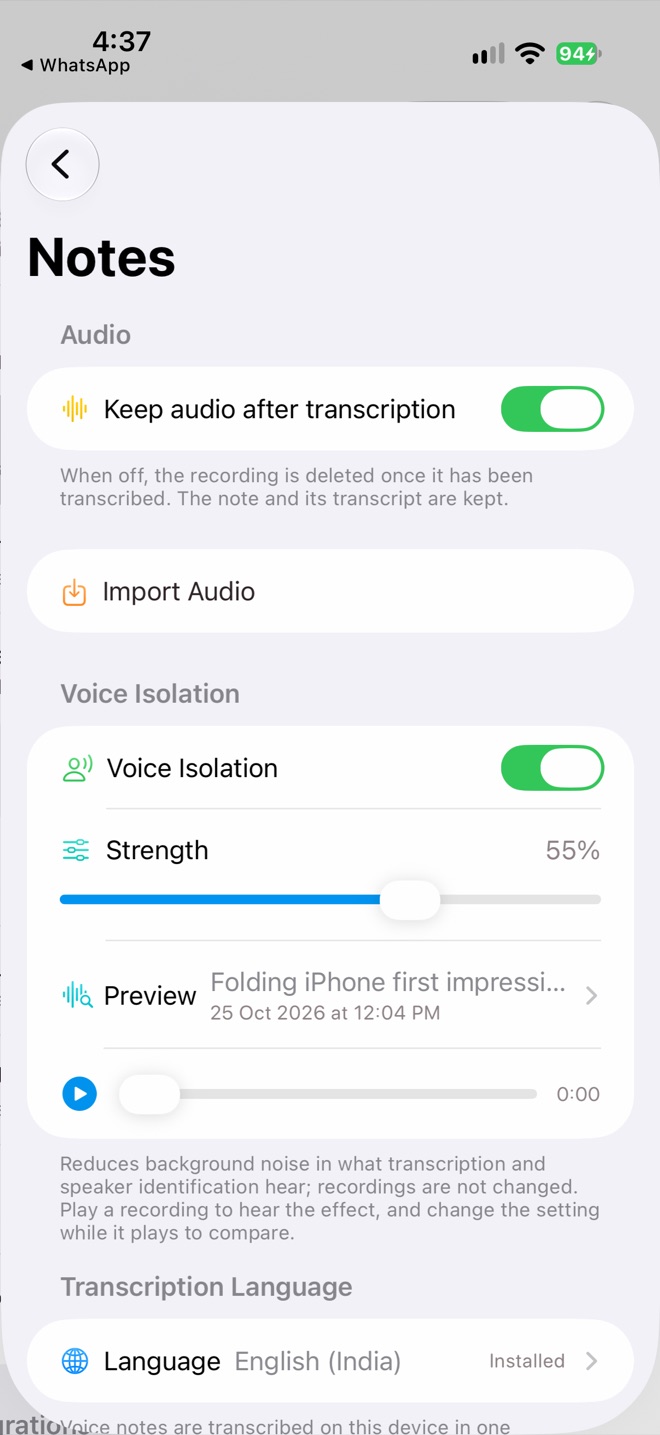
Audio and Voice Isolation
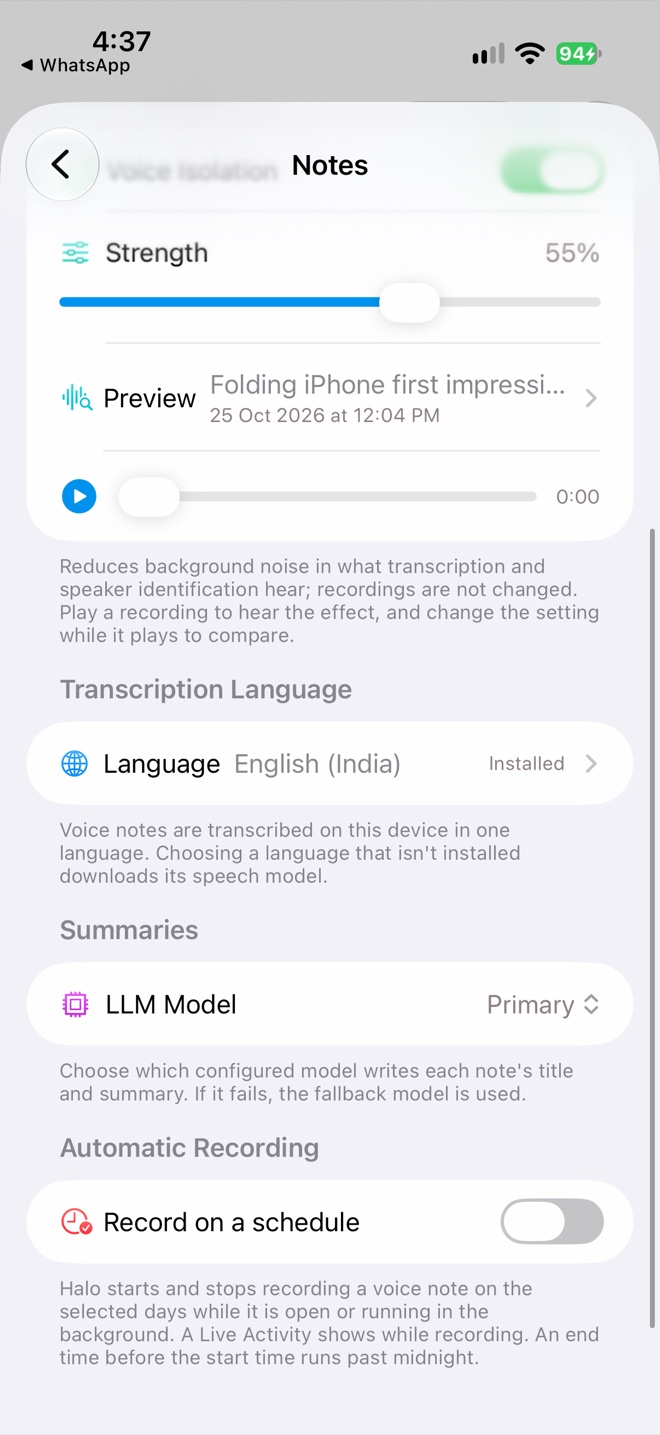
Language, model and schedule
| Setting | What it does |
|---|---|
| Keep audio after transcription | On by default. Turn off to delete the recording once it’s transcribed; the note and transcript stay. |
| Voice Isolation | Reduces background noise in what transcription hears (default strength 70%). Your recording isn’t changed. Preview it on a past note. |
| Transcription Language | One language per note. Picking a new language downloads its speech model. |
| LLM Model | Which model writes titles and summaries. Falls back if it fails. |
| Record on a schedule | Records automatically on chosen days and times. See the guide. |
More
- Ask anything on a note opens a chat about it.
- Merge joins several voice notes into one, from Edit mode. It can’t be undone.
- Recently Deleted keeps deleted notes for 30 days.
- You can also write typed notes; they save as you type.
Privacy
Recording, transcription and speaker identification all happen on your iPhone. Only the transcript is sent to your chosen model to write the summary. Notes are processed on the device that recorded them.