How-to guide
Shop with Halo using the Secure Vault
Save a card once and Halo can finish a checkout for you. The AI never reads your card number: Halo types it straight into the payment field, and asks for Face ID first if you want it to.
How it works
When Halo needs a card, the AI only gets a placeholder that stands for it. The real number is swapped in at the very last moment, when Halo’s built-in browser types into the card field. Card numbers, CVVs and one-time codes are also hidden from the page text the AI reads.
Add a card
Open the Secure Vault
Go to Settings›Secure Vault and tap +.
Give it a label
The label is shown to you and to the agent when it picks between saved items, so make it clear, like “Personal Amex” or “Work Visa”.
Choose Credit Card and fill in the details
Enter the card number, expiry month and year, CVV and the cardholder name. Halo checks the number and expiry as you type.
Decide on Face ID
Leave Require Face ID on and the agent asks before using the card, on the task’s Live Activity or as a notification. You have a minute to answer. Turn it off only if you want scheduled tasks to pay while your phone is locked.
Save
Tap Save. The card now appears in the vault list.
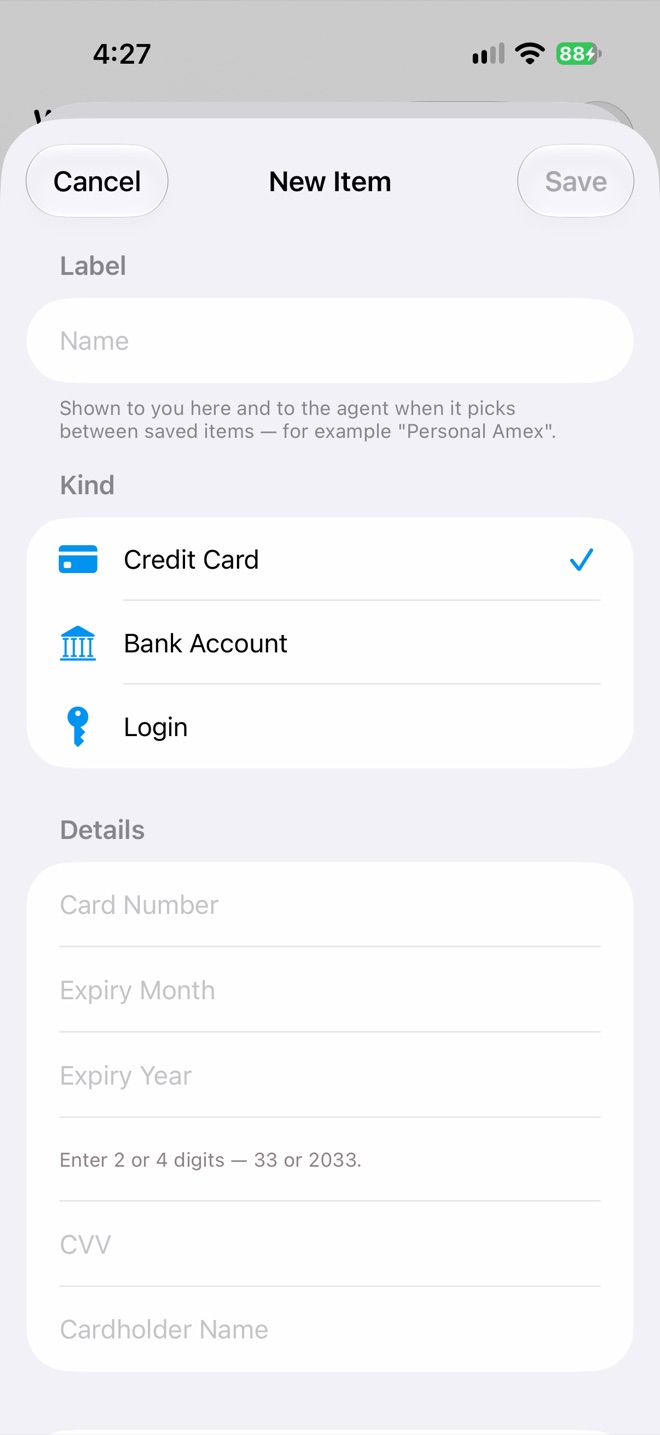
New Item
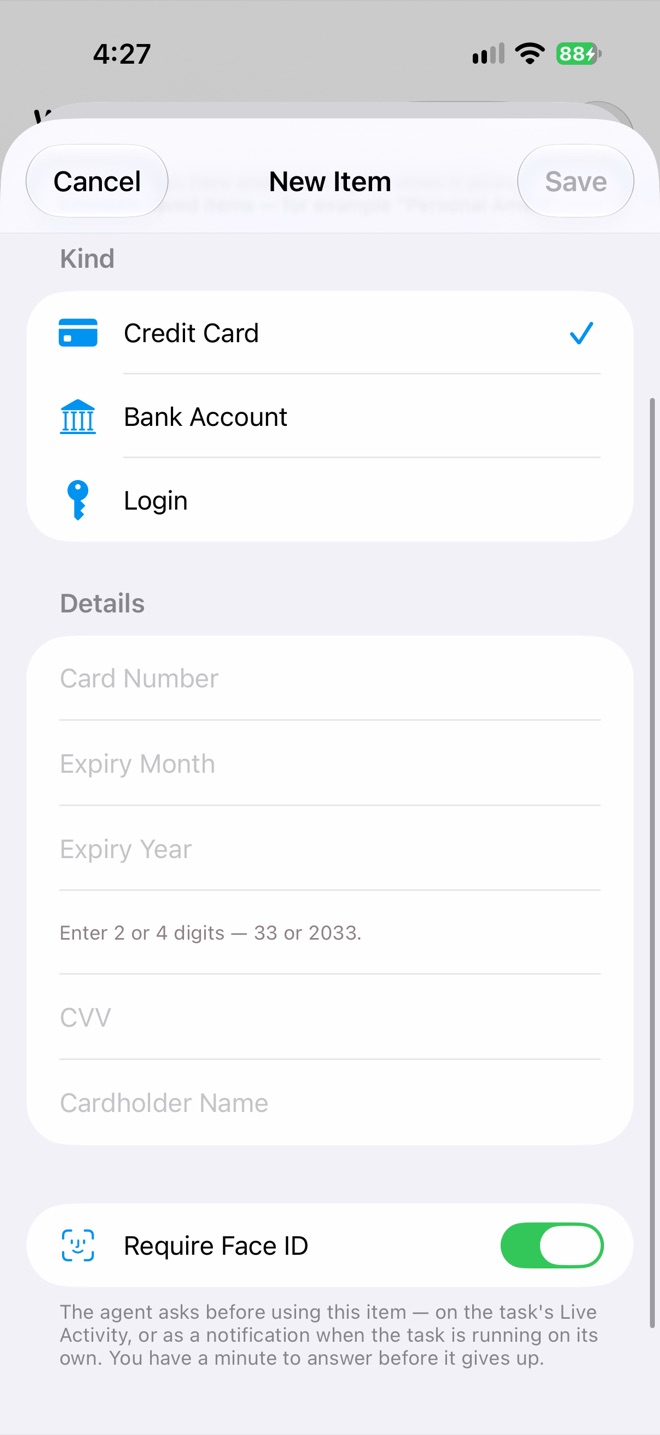
Require Face ID
Shop
Now ask for what you want in a chat, for example:
- “Order my usual from Swiggy and pay with my Amex.”
- “Buy the 2-pack of the Anker 30W charger on Amazon.”
- “Renew my domain and use the work card.”
Halo opens the site in its browser, finds the item and goes to checkout. When it reaches the payment form, it picks the card by its label and asks for Face ID if you required it. If the bank sends a one-time code by SMS or email, Halo can wait for it and fill it in, provided you’ve set up iMessage or email.
Sign in to the shop first
For sites that need an account, sign in once under Connected Websites so Halo shops as you, with your saved address and order history. Many food and shopping apps can also be connected through MCP.
Logins and bank details
The vault also holds Logins (username, password and website, plus an optional One-Time Code Setup where you scan a site’s 2FA QR code) and Bank Accounts (account number, IFSC or routing number, holder and bank). They work the same way: the AI sees the label, never the value.
Keep an eye on it
Open Access Log in the Secure Vault to see every read, by you or an agent, and which agent run made it. To change a saved card, open it and tap Edit Values. Saved values aren’t shown, and whatever you enter replaces what’s stored.
Privacy
Vault items are stored in your iPhone’s Keychain and sync to your other devices through iCloud Keychain. They aren’t in your Halo workspace files and never pass through a Halo server.
Check before you buy
In chat, set the approval menu in the composer to Ask for approval and Halo checks with you before each tool it runs. For tasks that run on their own, keep Require Face ID on so nothing is charged without you.